The system will bring you to the Message Content page if you click Next from either the Define Message page (only if you are defining a main message), the Trial Message Details page, or the Follow Up Message Details page. You can also get to this page by clicking the Content tab.
You'll use the Message Content page to select a message content item for the message from among those content items that you have designated for the campaign.
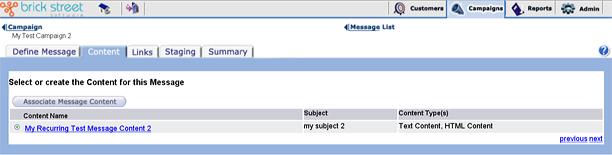
ClickAssociate New Message Content if you have not yet designated any content for this message, or if none of the content items currently listed on the page fit your needs. The system will bring you to the Message Content Details page, where you can define a new message content item.
If you click Next after selecting a specific set of message content on this page, the system will bring you to the Message Content Details page. It will populate that page with the details of the selected message content.
Please refer to the Content Administration Guide section for more information on defining message content. In this section we only discuss the association of content with a message.