If you choose a customer parameter for dynamic or XSL content on the Message Parameter Overview page and click Go, the system will take you to the Customer Attribute Parameter page. Here you can define message parameters for customer attributes and preferences.
The Connect system will take the parameters you define here and pass them to your content generator (for messages using dynamic content) or XSL template (for messages with XSLT content), which will in turn generate messages for each individual customer based on rules determined by you. For more information on this, see the topics in the Content Administration section of the Connect documentation set.
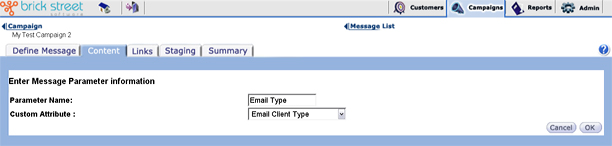
Parameter Name - Give the parameter a name of your choice.
Customer Attribute - Choose the customer attribute from the drop-down list box. You can define customer attributes in the Administrative Tools section of Connect.
For more information about defining customer attributes and preferences, refer to the Admin section of the Connect documentation set.
Click the Cancel button to return to the Message Parameter Overview page without saving your changes.
Click the OK button to save changes and return to the Message Parameter Overview page.