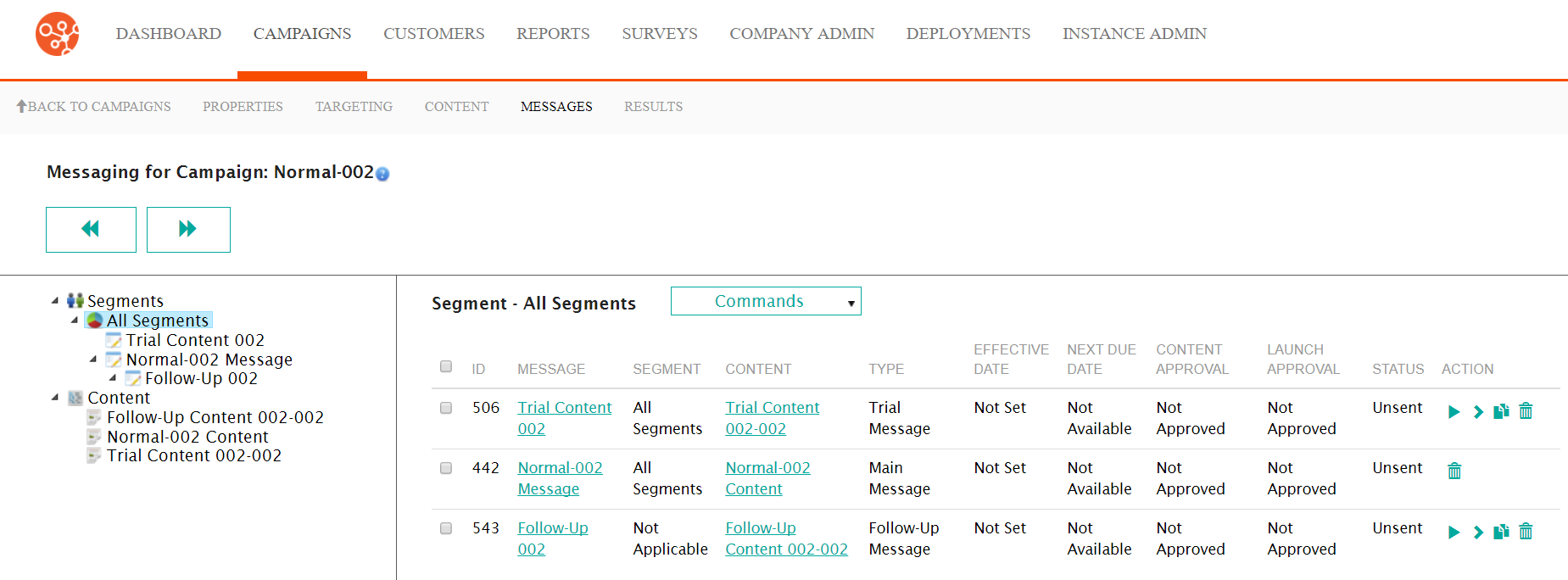
Once content is created, you are able to associate content to specific segments. This is done in the Messages screen where you drag the created content to the segment that you wish to message. Once associated to a segment, the message is able to be staged and launched to the customers. For example, if you had content targeted to a segment of customers that reside in New York, and had created a segment of customers that reside in New York, you would drag the New York-specific content to the New York segmentation model and drop the content onto the segment. You are able to create messages for all of the message types. For more information on the message types, please see Message Types.
- Editing the details of the message
- Staging messages for sending
- Launching messages
- Cloning messages to create copies of messages to be sent
- Deleting messages that were created erroneously or that are no longer necessary
- Pausing messages so that they are no longer sent to targeted customers
- Resuming paused messages allowing them to continue being sent to targeted customers