Connect features an entity called Department. Users who belong to a department are restricted to conversations and campaigns associated with that department.
User Hierarchy in Connect
Connect administrators can create new users and departments. The new users are assigned to one department or all departments as required. User privileges are based on the assigned department.
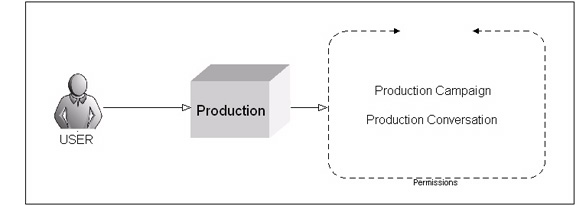
Users Assigned to One Department
The following rules apply to users assigned to one department:
- Only have access to conversations and campaigns in their department.
- View department reports for their department only.
- Can be reassigned to another department by users with administrative privileges.
- Can subscribe customers to only those conversations associated with their department.
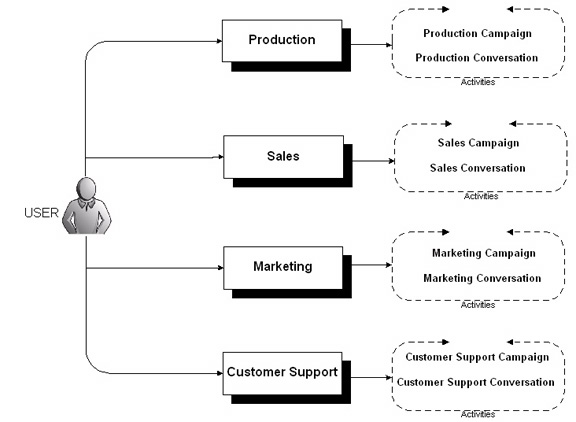
Users Assigned to All Departments
Users assigned to all departments can do the following:
- Create and edit campaigns and conversations for any department.
- View reports for any departments.
- Subscribe customers to conversations and campaigns associated with any department.
Glossary
Department
A line of business in an organization is a department. For example, marketing is a department.
Users
Any individual with access to Connect.
Administrators
Administrators are users with privileges to administer departments, add users and set privileges.
Users assigned to one department
Connect users assigned to one department can create, edit and launch campaigns, view reports associated with that department.
Users assigned to all departments
Connect users assigned to all departments can create campaigns, edit campaigns and view reports for all departments.