Campaigns are able to be exported from Connect. The campaign information and details are exported into an XML file and downloaded from your browser. You are able to find the export file in the folder used by your browser to store downloaded files. Downstream systems are able to consume the XML file as necessary. You may also update the campaign information in the XML file and re-import the file into Connect. For more information on importing campaigns, please see Importing a Campaign.
Exporting a Campaign
To export a campaign:- Navigate to the Campaigns screen. A list of campaigns displays.
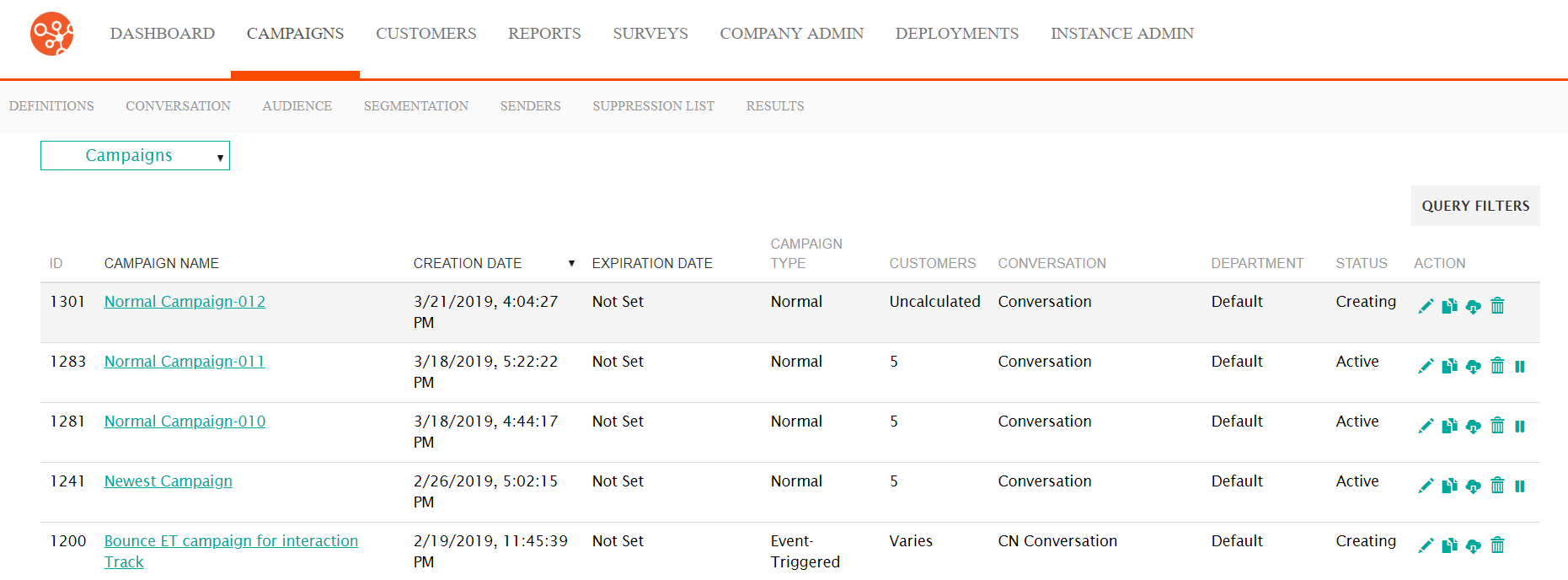
- Search for the desired campaign and select it. For more information on how to search for campaigns, please see Searching for Campaigns.
- Click on the Export Campaign (
 ) icon beside the desired campaign. The campaign information is downloaded
into an XML file and is stored in your browser's downloaded file folder.
Retrieve the file there.
) icon beside the desired campaign. The campaign information is downloaded
into an XML file and is stored in your browser's downloaded file folder.
Retrieve the file there.