If you're defining a message for a recurring campaign, you have the option of giving that message an expiration date. You'll define the expiration date on the Message Expiration page.
You get to the Message Expiration page by clicking the edit (pencil) icon for the Expiration field on the Define Message page.
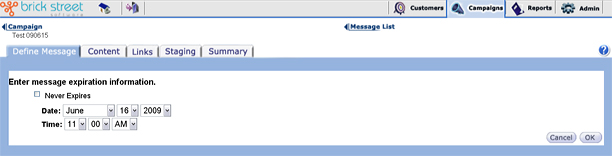
The system sets message expiration dates to Never Expire by default. When Never Expire is selected, the system makes the date and time fields unavailable for entry. To enter an exact date and time, you must first clear the Never Expire checkbox.
Once you have entered the date and time when this message will expire, select OK to return to the Define Message page. Otherwise, select Cancel to return without making any changes to message information.