If you click the Create new Version of Message Content button in the Message Content Details page, the system will bring you to the New Message Content Version page. On this page, you can select a content format that is consistent with a specific e-mail client, such as Microsoft Outlook or Eudora.
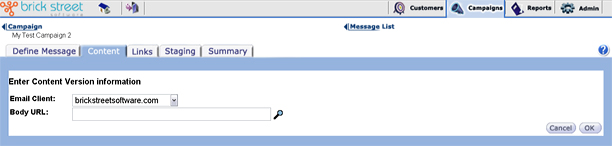
Select theE-mail Client type that you want to match your message content to.
Enter the Body URL for the message body content in the form required by the e-mail client. Click the detail (magnifying glass) icon to have Connect™ display the message body content in a separate browser window. Close the browser window when you're ready to return working with the application.
Click Cancel to return to the previous window without saving changes.
Click OK to save your changes and return to the Message Content Details page.