Add extra information related to the server using the Tag-Length-Value or Type-Length-Value parameters. TLV Options are as follows:
- Type - Binary code, usually alphanumeric, indicating the type of field represented by this part of the message.
- Length - Value field size usually in bytes.
- Value - Data.
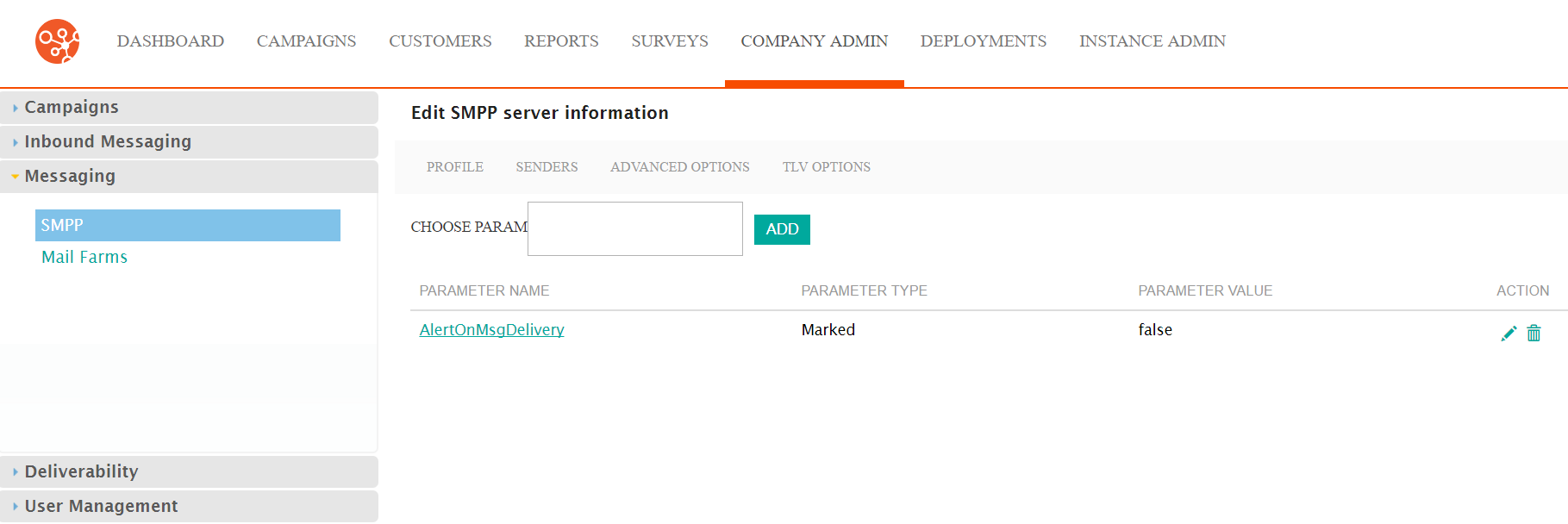
Add TLV Options
Follow these directions to define TLV options.
- From the SMPP screen, click Actions > Edit on the SMPP row you want to edit. The Edit SMPP Server Information screen appears.
- Click the TLV Options tab. The TLV Options screen appears.
- Click inside the Choose Param field. A list of TLV parameters appears.
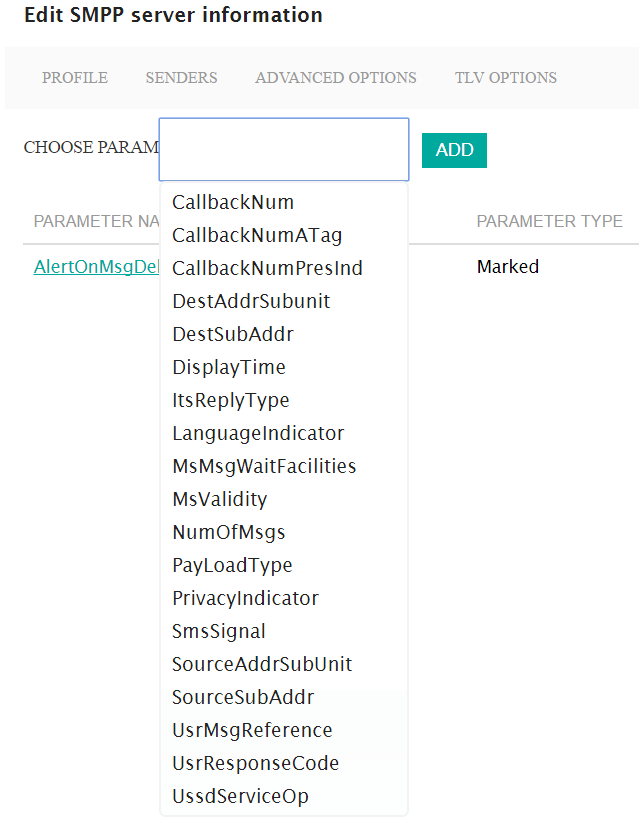
- Click the paramter you want. The parameter appears in the Choose Param field.
- Click the Add button. The Edit SMPP Optional Parameter screen appears.
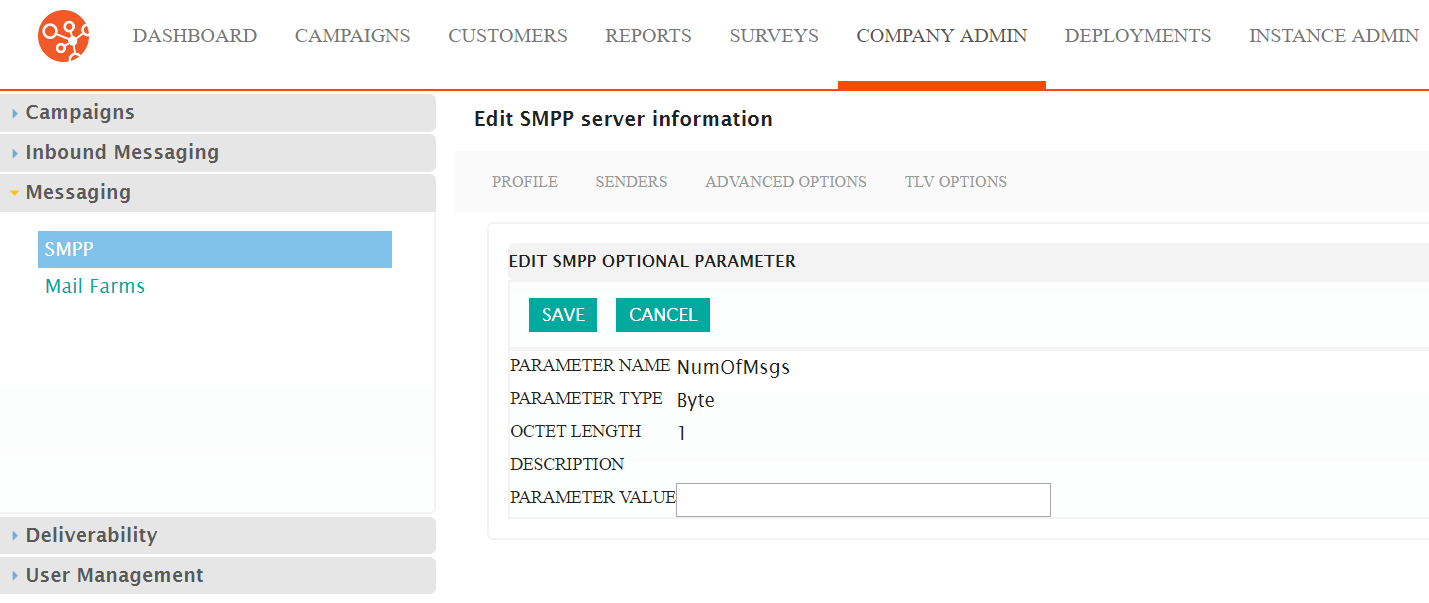
- Type the appropriate value in the Parameter Value field.
- Click Save. The TLV parameter is added to the list.
Edit TLV Option
Follow these directions to edit a TLV option.
- From the TLV Options screen, click Actions > Edit on the row with the TLV option you want to edit. The Edit SMPP Optional Parameter screen appears.
- Make your changes.
- Click the Save button. The TLV Options screen appears and your changes are saved.
Delete User Agent
Follow these directions to delete a user agent.
- From the TLV Options screen, click Actions > Delete. A confirmation dialog box appears.
- Click OK in the confirmation dialog box. The TLV option is removed from the list.
