A security profile is a set of rules used to define permissions and restrictions. You can define multiple security profiles and assign those profiles to specific employees. Security profiles provide employees with the access needed to perform their jobs while restricting them from functions they do not need. When logged in to the system, users can view only the functions associated with their security profile.
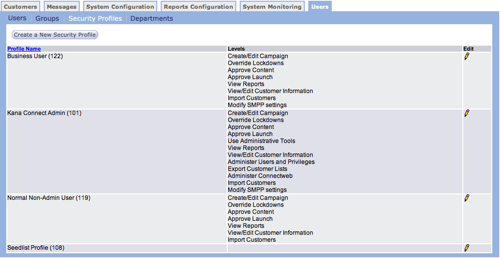
Create New Security Profile
Follow these directions to create a new security profile.
- From the Users tab Security Profiles screen, click the
Create a New Security Profile button. The Enter Profile
Information screen appears.
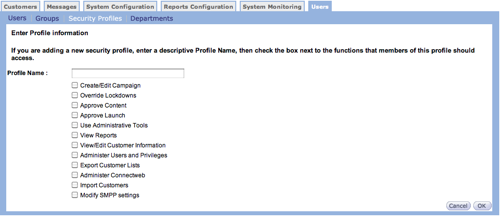
- In the Profile Name field, type a descriptive name for the profile.
- From the list, click the check box beside each action users in the group can perform.
- Click OK to save the new profile. The profile appears on the Security Profiles screen.
Edit Security Profile
Follow these directions to edit a security profile.
- From the Users tab Security Profiles screen, click the edit
icon
 on the row with the
profile you want to edit. The Profile screen appears.
on the row with the
profile you want to edit. The Profile screen appears.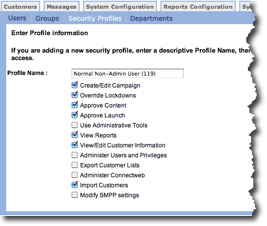
- Make your changes.
- Click OK to save your changes. The Security Profile screen appears with your changes.