Interests are used to define filters for links and for reporting campaign statistics. Connect collects and stores statistics about the number of links customers click for each interest. Think of interests as categories used to define each link the user clicks.
As an example, you define an interest called Sail Boat then assign that interest to a link in a message. Connect records the number of links the customer clicks plus it records the number of Sail Boat related links the customer clicks. The interests you define in the Interests section are stored in the customer database.
To view all interests in Connect, click the Interests link on the Customers tab. A list of all interests appear. From this window, you can create a new interest and edit or delete an existing interest.
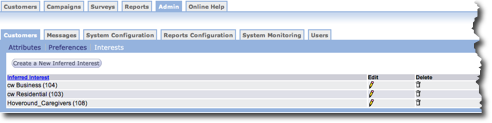
- Inferred Interest - Unique name for the interest.
- Edit - Make changes to a preference.
- Delete - Remove preference from the list.