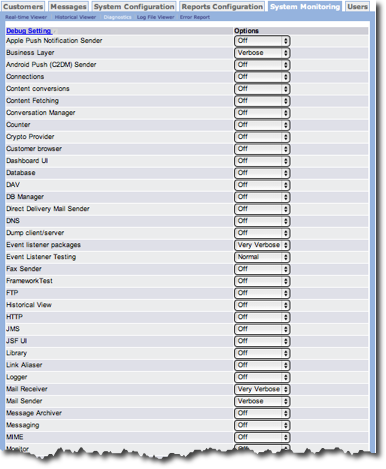
When you click Diagnostics from the System Monitoring tab, Connect displays a list of Debug Settings. In the Options column, you select the debug options. Each drop-down list has the following options:
- Very Verbose - Extremely detailed information is collected.
- Verbose - Detailed information is logged.
- Normal - Minimal diagnostic information is collected.
- Off - Only Warnings, Alerts and Critical errors are logged and no other information is collected.
Note: Although the same set of Options is shown for each Debug Setting, some
Options do not apply to all Debug Settings. If you choose an option that is not
available for a specific setting, the option defaults to the highest option available for that
setting. For example, if you choose Verbose for a setting but only Normal and
Off are available, the report defaults to Normal for that setting.