Once the JAR file has been prepared, the Delivery Channel must be configured in the Connect UI.
Note: Delivery Channels are sometimes called Send Handlers in the Connect UI and
documentation. This will be corrected in a future release.
In the Connect UI, go to Admin -> Messages -> Send Handlers and click Create. Provide
the
- Channel Name; any string, e.g. “android-pushtest1”
- Class Name: brickst.connect.android.AndroidSenderPlugin
- Archive Name: channel_android.jar or other name
- Channel Address Attribute: “Android Registration ID” or other custom attribute
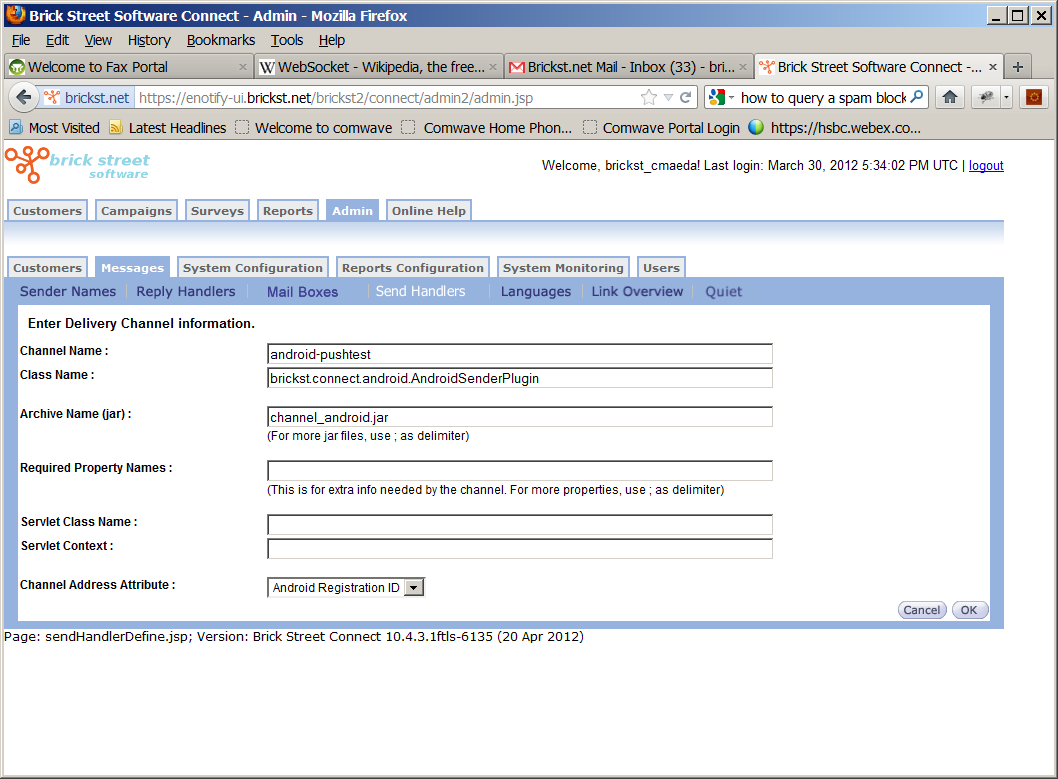
Click OK when this is done.