From the main Customers page select Audience Model. The Audience Model List page appears:
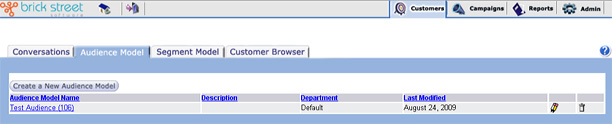
From the Audience Model List window, you can:
- Create a new audience model. Click the Create a New Audience Model button. The system will bring you to the Audience Definition page.
- Modify an existing audience model. Click a blue underlined audience model name in the Audience Model Name column. The system will bring you to the Audience Definition page where you can edit or update the information for that audience model. For more information, see Creating or Editing an Audience Model.
- Delete an audience model by clicking its delete (trash can) icon.
- Sort the audience model list according to Audience Model Name, Description, or Last Modified by clicking the column headings.