The Customer Browser Conversations page is where you can subscribe the customer to conversations. You define conversations on the Customer Browser, Conversations page.
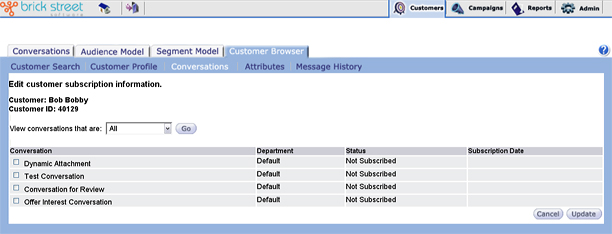
Subscribe the customer to conversations by checking the applicable check boxes. Unsubscribe by unchecking check boxes.
Status - Displays the customer’s subscription status for each conversation.
Subscription Date - Displays the date on which the customer is subscribed to the conversation.
When you click Update, Connect will update the display by changing the Status and Subscription Date field for each conversation you changed.