At the Customer Browser Attributes window, you can edit the attributes currently assigned to a customer. You can also assign attributes that you have defined in the Admin, Customer Attributes window.
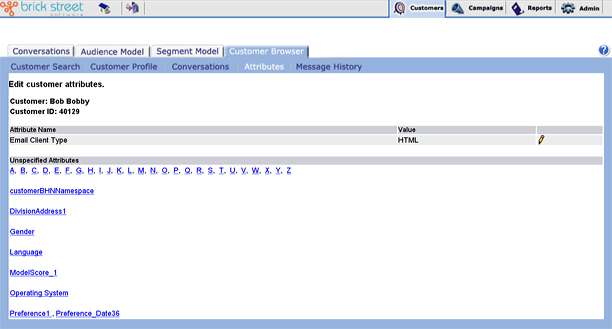
Attribute Name / Value - These are the Attributes currently assigned to the customer and the values that apply to them.
Unspecified Attributes - This part of the window displays the attributes defined in Admin, Customer Attributes. To assign an attribute to the current customer record, simply click the attribute. Connect will display the Edit Customer Attribute Information window for that attribute.
Click the edit icon of an existing attribute, to access the Edit Customer Attribute Information window for that attribute.