Use this window to select the users for a new user group or one you’re editing. The User Names and E-mail Addresses displayed are created in the Creating and Editing User Information task described in this guide.
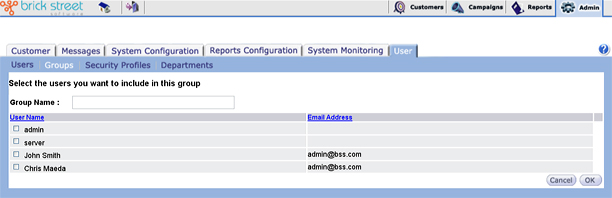
Group Name: If you’re creating a new user group, enter a unique name. If you’re editing a user group, you can change its name.
Check the check box next to each User Name you want to include in the user group. Uncheck the check box next to each User Name you want to omit from the user group.
When you’ve made your selections, click the Ok button to save your selections and the previous display of your defined user groups.
Click Cancel button to return to the previous window without saving any changes.